bonsai33 Casino & Sportsbook Mobile App
We at bonsai33 offer our gaming and sportsbook platform across multiple access paths — native Android application, iOS-optimised browser, and responsive web interface. Our mobile-first approach prioritises speed, security, and uninterrupted access to slots, live-dealer tables, and sportsbook markets regardless of your device or connection type. Whether you prefer an installed application or browser-based play, our platform delivers consistent performance and the same full account management, deposit, and withdrawal capabilities.

- Update
- StartFirst Game
- SHA256 Match
Mobile gaming demands specific technical infrastructure that differs from desktop play. Offline game caching, push notification support, and optimised UI scaling for smaller screens require platform-specific engineering. We maintain separate builds for Android users seeking an APK file and iOS users accessing through Safari or Chrome, while our web application works across all browsers. This documentation guides you through installation, device requirements, troubleshooting common issues, and understanding the data permissions our app requires.
Access to bonsai33 is available only where local law permits. Before you download or install, verify that online gaming services are legal in your jurisdiction. Our app does not change the legal status of gaming in your location — it is your responsibility to confirm compliance with local law before accessing our platform.
Download and Install bonsai33
Three installation paths available on bonsai33
Android users can download our APK file directly; iOS users access through mobile Safari or Chrome; all devices support our web application via standard browser.
Installation steps
-
Download bonsai33 for your device
Android users download the APK file from our website; iOS users open the web link in Safari to access the mobile-optimised interface; web users bookmark our domain for quick access.
-
Install and grant required permissions
Android users enable installation from unknown sources in device settings, then install the APK; iOS users add bonsai33 to their home screen; web users do not need to install anything.
-
Create or log in to your account
Open the app and either create a new account with username, email, phone number, and password, or sign in if you already have a bonsai33 account.
-
Deposit funds and begin playing
Navigate to your account settings, select a deposit method (DANA, e-wallet, mobile banking, local payment, online payment, e-wallet, or bank transfer), and fund your account to access slots and sportsbook.
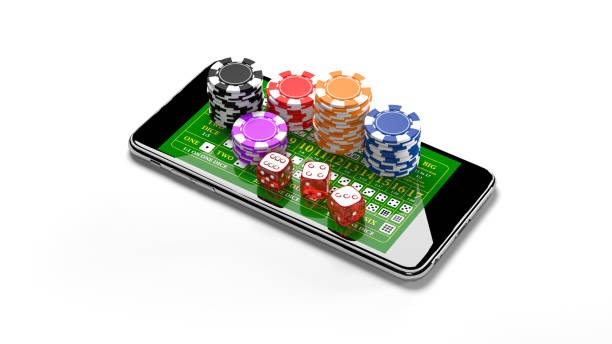
Native app versus browser access
Our bonsai33 native Android application offers offline game caching, meaning certain slot titles (Aviator, Sweet Bonanza, Gates of Olympus, Fortune Tiger, Mahjong Ways) load faster on subsequent plays because game assets are stored locally on your device. Push notifications alert you to promotions and tournament schedules. The app runs independently of your browser, so you can keep other tabs open without affecting gameplay. However, the Android app requires installation permissions and device storage space. Many users find browser access equally convenient — Safari on iOS and Chrome or Firefox on both Android and iOS provide full bonsai33 functionality without installation. Browser access requires an internet connection for each session but does not consume device storage. Our web application is responsive and adjusts automatically to your screen size, whether you use a phone, tablet, or desktop.
Device compatibility and requirements
We support Android 7 and later on mobile phones and tablets. Older Android versions may experience performance issues or be unable to run the app at all. For iOS, we support iOS 12 and later through mobile Safari or Chrome, though iOS 14 and later offer the best performance. Desktop browsers (Chrome, Firefox, Safari, Edge) on Windows, macOS, and Linux fully support our web application. Minimum screen width for comfortable play is 320 pixels, though we recommend at least 480 pixels for optimal gameplay. Your device should have at least 100 MB of available storage for the Android app. If you use an Android device older than version 7 or an iPhone running iOS earlier than 12, browser access is your best option — visit our website directly and play through Safari without needing to install anything.
Troubleshooting common installation issues
If you cannot install the Android APK, check whether your device allows installation from unknown sources. On most Android phones, go to Settings → Security → Unknown Sources and enable that option. Some Android devices route this setting to Google Play Protect instead — disable Play Protect warnings for unknown apps, then retry installation. If the APK file download fails, try a different network connection (switch from WiFi to mobile data or vice versa) and download again. If you see a certificate warning when opening our iOS web link, this is typically safe — tap "Allow" to proceed. Certificate warnings occur when your device has not cached our security certificate. If iOS Safari repeatedly fails to load the bonsai33 website, clear your browser cache: Settings → Safari → Clear History and Website Data. On Android browsers, clearing cache is similar: open your browser menu, select Settings, find Storage or Cache, and clear browsing data. If gameplay becomes unresponsive after prolonged play, close and reopen the app or refresh your browser tab to reset the connection.

Data, permissions, and account security on bonsai33
The bonsai33 Android app requires permissions to access your device storage (for offline game caching and logs), device identifier (to prevent multiple account fraud), and notification service (to send you tournament alerts and withdrawal confirmations). We do not access your photos, contacts, location, or other personal files. All data transmitted between your device and our servers is encrypted using industry-standard TLS protocol. Your account credentials are stored securely on our servers and never transmitted in plain text. When you log in, your session is protected by secure cookies or tokens that expire after a period of inactivity. If someone gains access to your device, they can access your bonsai33 account without entering your password again — to prevent this, always log out when finished playing on a shared device, and enable biometric login (fingerprint or face recognition) if your device supports it. Our privacy policy details what personal data we collect, how we use it, and your rights. Know Your Customer (KYC) verification requires your full name, date of birth, identity document number, and proof of address — this information is encrypted and retained only as long as your account remains active.
Why choose bonsai33 on mobile
- Optimised performance across Android, iOS, and web browsers with consistent account access and balance synchronisation
- Comprehensive slot selection including Aviator, Sweet Bonanza, Gates of Olympus, Fortune Tiger, and Mahjong Ways with daily tournament schedules
- Deposit and withdrawal via local methods: mobile banking, local payment, online payment, e-wallet, mobile banking, local payment, online payment, e-wallet, mobile banking, local payment
- Live-dealer tables (blackjack, roulette, baccarat, Dragon Tiger) and sportsbook coverage of Liga 1, Piala AFF, Champions League, and esports available on all platforms
Our mobile platform serves users across Jakarta, Surabaya, Bandung, Medan, and Semarang. Before you download or install bonsai33, confirm that online gaming is legal in your jurisdiction. We operate only where applicable law permits, and you are responsible for verifying local regulations before accessing our services.